
Explore KiviBoot-Tiny for your design
Register for the evaluation portal to download the Digilent Arty Z7 Getting Started Guide and request the KiviBoot-Tiny evaluation package through the portal when you are ready to try it on your board.
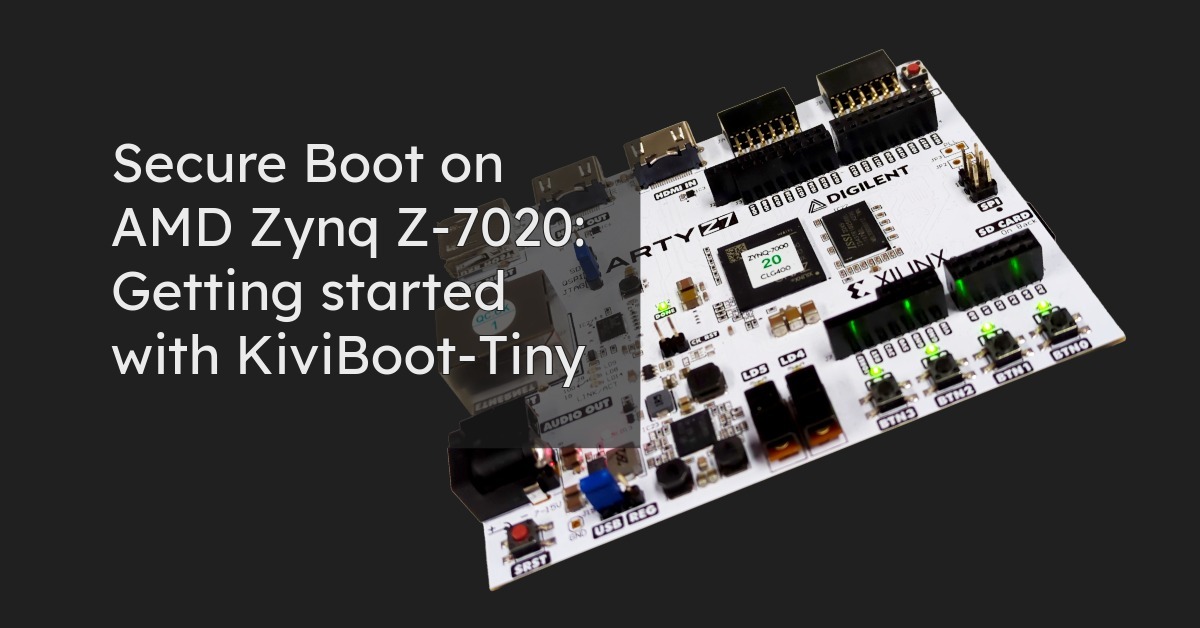

You want to verify application firmware before your embedded product executes it. To assess a secure boot solution, you need to understand how it connects to your hardware, application build and deployment process.
The KiviBoot-Tiny evaluation for the Digilent Arty Z7-20 FPGA board using the AMD Zynq Z-7020 FPGA device gives you a prepared starting point. It brings together bootloader images, a matching hardware platform, a reference application and signing tools. You can explore the path from application build to verified startup without first rebuilding the bootloaders.
KiviBoot-Tiny performs the cryptographic boot operations in software on the Zynq-7000’s integrated Arm Cortex-A9 processor. It does not require dedicated AES or SHA accelerators in the FPGA fabric. This makes it a useful starting point for evaluating secure boot when you want to preserve FPGA resources and assess whether software-based processing meets your requirements.
Connecting bootloaders, platform support and image preparation tools is part of secure boot integration. For the first evaluation, the Arty Z7-20 package already brings these components together.
A prepared boot image contains KiviNanoBL, the FPGA configuration bitstream and KiviSecureBL. The delivery also includes the reference application, board-specific platform support, development credentials and tools for signing and encrypting application images.
You do not need to rebuild either bootloader to run the supplied example. You can begin with a consistent reference and concentrate on understanding how your application fits into the workflow.
The accompanying Getting Started Guide explains the practical setup and programming steps. It supports board bring-up while the supplied components give you a concrete implementation to explore.
The Arty Z7-20 combines an Arm processing system with FPGA programmable logic. In this implementation, the bootloader stages and applications execute on the integrated processor.
The Zynq BootROM starts KiviNanoBL in on-chip memory. KiviNanoBL fulfils the first-stage bootloader role, configures the programmable logic and starts KiviSecureBL. KiviSecureBL runs in DDR3 memory, loads the signed and encrypted application, and checks it before transferring control.
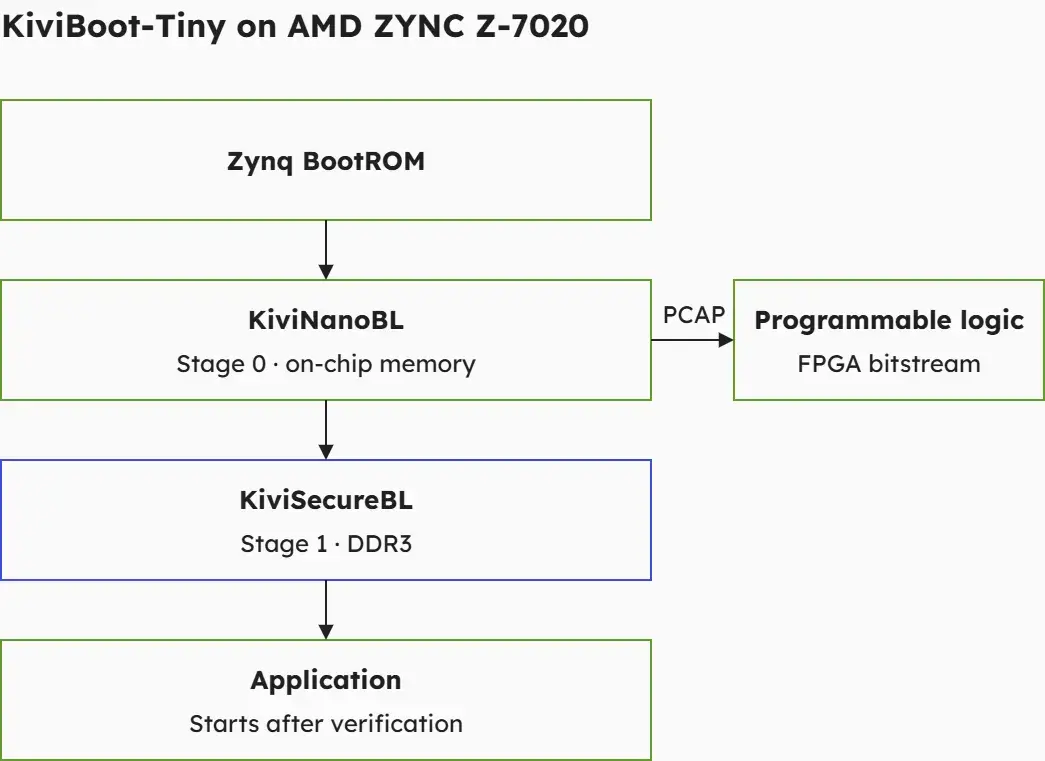 Figure 1. Bootloader stages running on the Arm Cortex-A9 processor. KiviNanoBL configures the FPGA fabric using the Processor Configuration Access Port (PCAP); KiviSecureBL handles the application verification.
The two stages separate initial platform bring-up from application handling. For application developers, this provides a defined integration point: prepare an image that KiviSecureBL can load and verify.
For production, this software path must connect to the platform’s protected starting point. Authentication of the initial boot components and provisioning of the hardware trust anchor are part of that system design.
The evaluation uses AMD Vitis IDE Classic to build the reference application against the supplied hardware description. The included packaging tools then sign and encrypt the compiled application before it is deployed to the board.
Application development and image preparation remain distinct activities. You work with application source code in the build environment, then prepare the protected image expected by KiviSecureBL.
Signing supports verification of an image’s authenticity and integrity. Encryption addresses the confidentiality of the stored application. These functions serve different purposes, and both are included in the supplied example workflow.
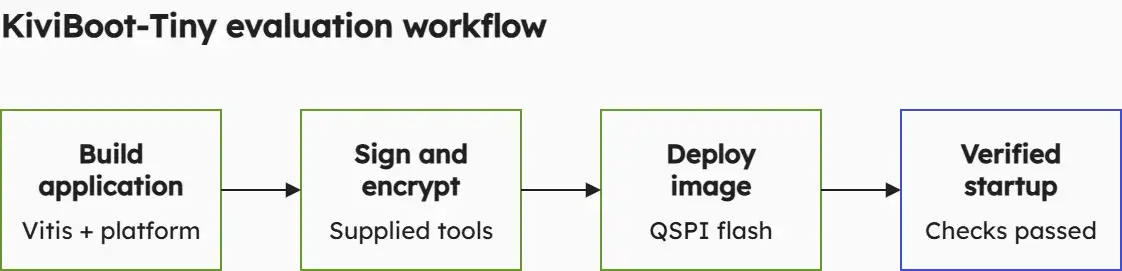
Figure 2. The evaluation connects application development to image preparation, deployment and verified startup.
The LED-blink reference application makes successful startup easy to observe. Its small scope helps you follow the complete workflow before assessing a larger application.
Once the reference is running, you have a basis for examining your own build process, platform interfaces and image requirements. The guide supplies the detailed instructions as you work through the evaluation.
The evaluation helps turn an interest in secure boot into concrete development questions:
These questions help define the integration scope. The reference package provides the starting configuration. Your application and product requirements determine what needs to be adapted.
KiviBoot-Tiny is particularly relevant when software cryptography offers sufficient boot performance. Assess that performance using your intended application size and target configuration. If cryptographic processing becomes a limiting factor, FPGA-based acceleration is an option to consider within the wider KiviBoot family.
The prepared package reduces the work needed to reach a first application startup. Production integration then builds on that experience.
Development credentials must be replaced with production credentials, and key provisioning must match the target architecture. The complete design also needs defined behaviour for verification failures, firmware updates, recovery and rollback prevention.
The Digilent Arty Z7-20 example demonstrates KiviBoot-Tiny with a standalone application. Adapting the bootloaders to another board or application environment is a separate integration step to discuss with KiviCore.
By starting with a working reference, you can identify those requirements with a clearer understanding of the components and their interfaces.
After your evaluation portal account has been approved, you can download the Arty Z7 Getting Started Guide and review the implementation details.
When you are ready to try the workflow on your board, request the KiviBoot-Tiny evaluation package through the portal. The prepared boot images, reference application and signing tools let you begin with the application workflow and use the results to plan integration into your own design.